
Teens
Encourage open conversation about online experiences
Last updated on 17 August 2026

Guiding Responsible Digital Independence
The teenage years are a time of growing independence and identity exploration, much of which now happens online. However, the digital world can also expose teens to online harms. Your role now shifts to becoming a trusted guide who helps build their judgement and resilience. Respect their growing independence while maintaining your supportive role through ongoing guidance and conversation.
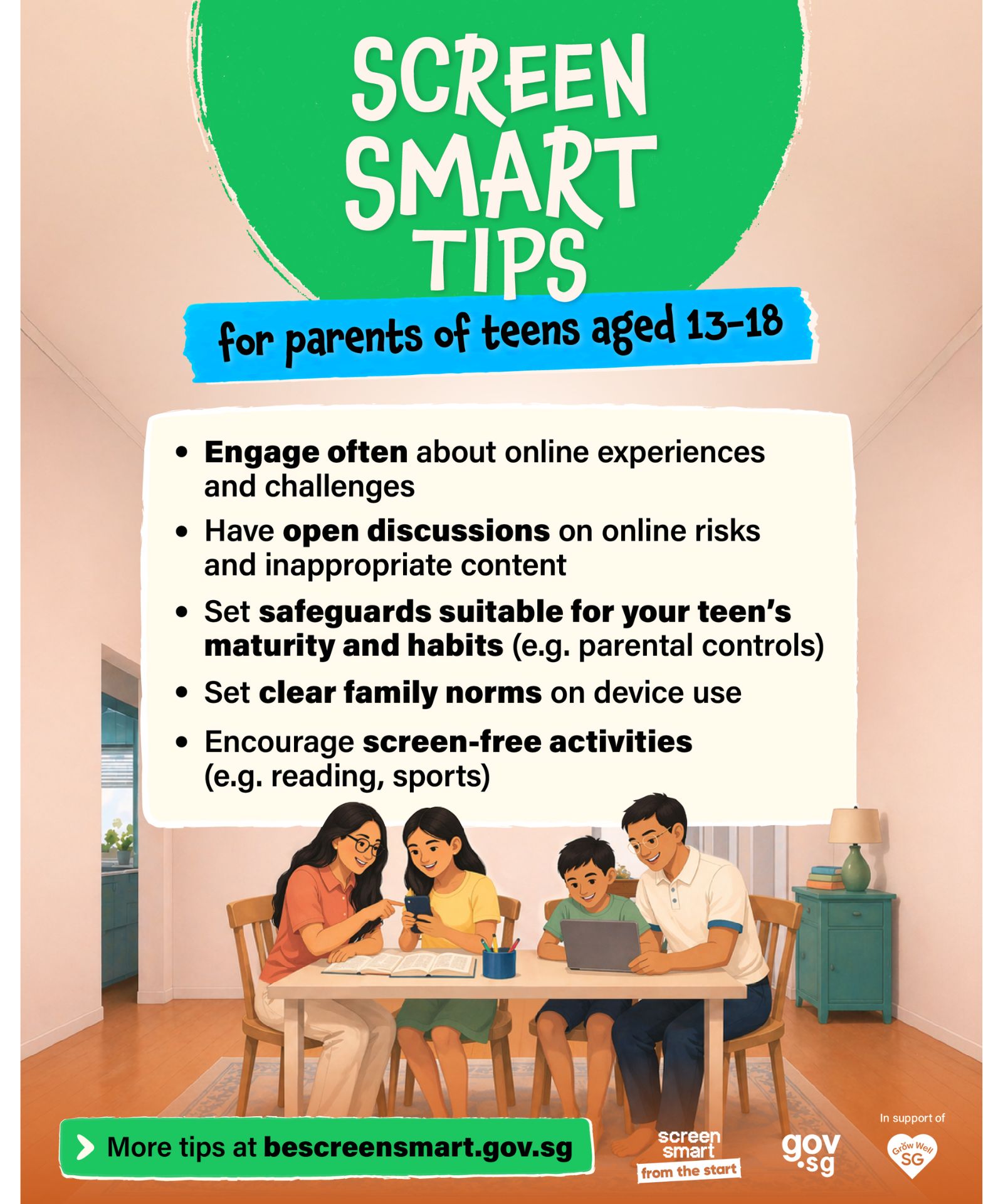
5 Ways to Support Your Teen in Navigating the Digital World
1. Engage Often About Online Experiences and Challenges
Teens are more likely to seek support when they feel heard. Regular conversations about their digital experiences help alert you to potential concerns. Show genuine interest, have open conversations, and avoid rushing to judge.
Conversation starters:
What’s something interesting you watched or read online recently? What did you think about it?
What are your favourite things to do online right now?
Is there anything you’ve seen online that made you feel uncomfortable, upset, or unsafe?
Find out more: Tips to start a conversation with your child about digital wellness (opens in new tab)
2. Have Open Discussions on Online Risks and Inappropriate Content
As your teen goes online, they may encounter various harms that may impact their well-being. This includes cyberbullying (opens in new tab), online grooming (opens in new tab), sexual content, (opens in new tab) misinformation, (opens in new tab) gaming (opens in new tab) and use of AI for emotional support. (opens in new tab) Have regular, open conversations to help your teen make sense of what they see and build confidence to respond appropriately.
Use the ACEDA (opens in new tab) checklist to discuss inappropriate content:
Ask your teen if they have seen inappropriate content online.
Check in with them how they felt when they saw it.
Explain why the content is inappropriate.
Discuss what they should do if they encounter inappropriate content, such as reporting to platforms (opens in new tab) and speaking to a trusted adult.
Assure them that you are always there to listen and answer their questions.

3. Set Safeguards Suitable for Your Teen’s Maturity and Habits
As your teen gains independence, continue communicating with them to understand what they are viewing online. Not all content or platforms are appropriate. You may need to regularly review the platforms they use and adjust safeguards to match their maturity level, and maintain a safe online environment (opens in new tab) for them.
Consider parental controls (opens in new tab) and privacy settings on devices, games, and streaming platforms on devices, games, and streaming platforms.
Check age ratings (opens in new tab) on apps, games, and websites.
Teach your teen to recognise and respond to unsafe or misleading content (opens in new tab).
Encourage your teen to ask for help (opens in new tab) when they encounter online content that makes them uncomfortable.

4. Set Clear Family Norms on Device Use
Teens benefit from clear, consistent expectations. Engage your teen to co-create family norms on device use and what is appropriate online behaviour, for example, safe sharing of personal information (opens in new tab) and interacting safely online. When they’re involved in setting these norms, they’ll be more cooperative. Remember to model the positive screen behaviours (opens in new tab) you want to see in them.
Examples of clear family norms:
We will not use our screens during mealtimes.
We will not use our screens one hour before going to bed.
We balance our screen use with non-screen family activities, such as outdoor activities.
Make your own rules with the Family Screen Use Contract (opens in new tab) or the Family Tech Agreement (opens in new tab).
5. Encourage Screen-Free Activities
Teens may turn to screens out of habit, boredom, or social pressure. Encouraging meaningful offline activities helps them balance online time with experiences that support physical health and emotional well-being.
Ideas:
Read at your neighbourhood library
Embark on hiking adventures at places like MacRitchie Reservoir or Southern Ridges.
Participate in volunteering activities like beach clean-ups.
Complete craft projects like friendship bracelets or model building.
Try cooking together where teens pick the recipes and parents assist.
Play board games.
Check out the latest activities in Singapore (opens in new tab).
Additional Resources
To guide your child to stay safe and responsible online.
Five Ways To Raise Kind and Respectful Children Online (opens in new tab)
AI and your child: Should parent guide or guard against AI (opens in new tab)